Classifying End Users as Stakeholders
Overview
Once you have created the definition for your stakeholders and their contexts in the Experience design, as described at Stakeholders, you can relate or map your end users to a stakeholder definition.
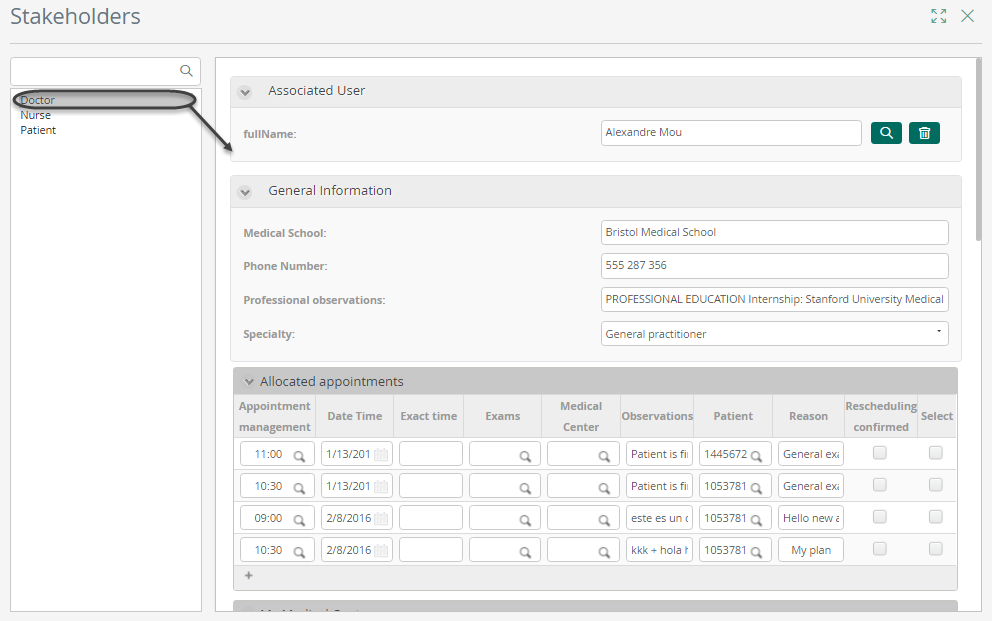
Relating end users to a stakeholder definition is done using the Work Portal. In it, there is a menu for administrators to manage Stakeholders: adding one or more end users to a stakeholder definition, editing a record, and disabling a record.
Creating End Users and Stakeholder Instances
In order to map and classify end users to stakeholders, use the Admin options in the following order and as specified at Automation Server chapters sections:
- Users Administration: To create end users in any of your environments (development, test, or production).
- Stakeholders Administration: To map end users into stakeholders and configure their stakeholder-related information.
You may choose to customize the administration forms used for this purpose, as described at Customizing admin forms for stakeholders.
Alternative Definition and Batch Assignment of Stakeholders
In addition to manually configuring stakeholders, you may also define conditions in Bizagi Studio so that any user that meets the defined conditions is automatically mapped as a stakeholder.
This allows you to assign users to stakeholders in batch mode.
For more information about this possibility, refer to Assign stakeholders by conditions.